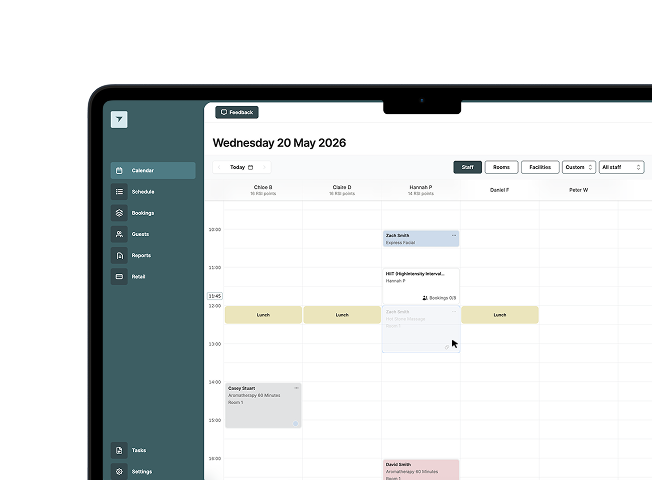
Diary & availability management
Manage bookings, appointments, group activities and availability from a clearer diary view, with drag-and-drop changes and visibility across staff, rooms and facilities.

An introduction from Journey’s CEO, Simon Bullingham
EMS is the next step in Journey’s platform evolution. Designed to create a more scalable, connected and operationally ready future for experience-led hospitality.
In this short introduction video, Journey’s CEO shares the vision behind EMS, why we’re taking a phased migration approach, and how we’re supporting customers through the transition with transparency, structure and long-term partnership.
Book Webinar 2 (EMS Demo)
Book Webinar 3 (EMS + Memberships)
Trusted by
VIDEO 1
Andrew Metcalfe on the vision behind EMS, Journey's continued investment, and why customers are moving onto the platform today.
VIDEO 2
Rob Deary gives a live walkthrough of the EMS platform, covering the diary, bookings, payments, contacts, activities and reporting.
VIDEO 3
Oliver Cahill on the migration programme, what to expect, and how your Account Manager will support you.
CAPABILITIES
EMS brings key operational workflows into a more modern, cloud-based product that is designed to make bookings, availability, payments, guest management and reporting easier to manage day-to-day.
Manage bookings, appointments, group activities and availability from a clearer diary view, with drag-and-drop changes and visibility across staff, rooms and facilities.
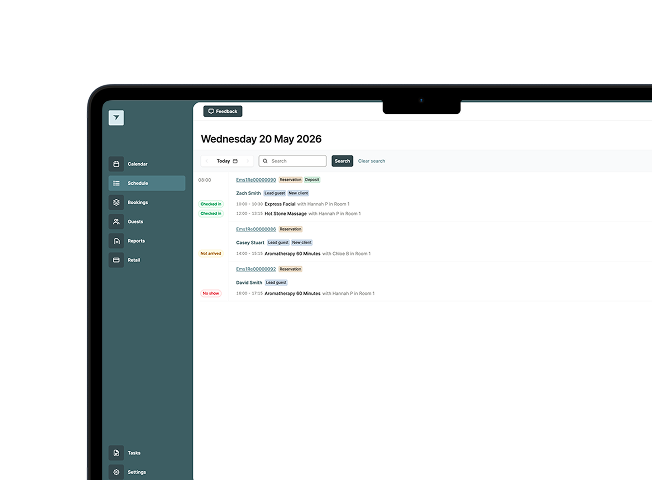
See which guests are arriving, what they have booked, where they need to be and how teams can manage check-in more efficiently.
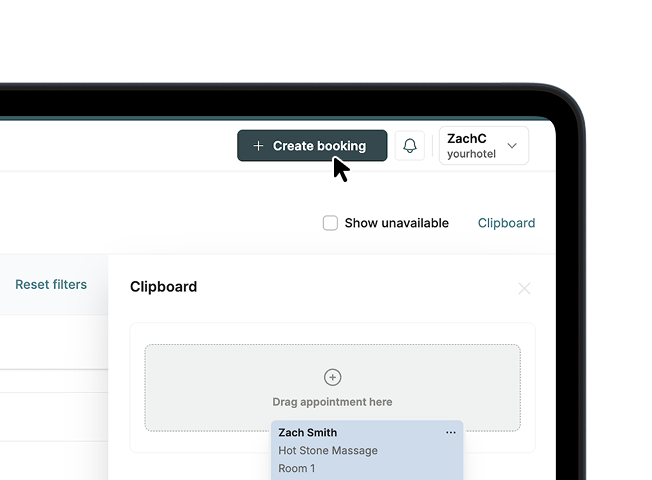
Create bookings from any screen, helping teams respond faster when guests call, arrive on site or need changes made quickly.
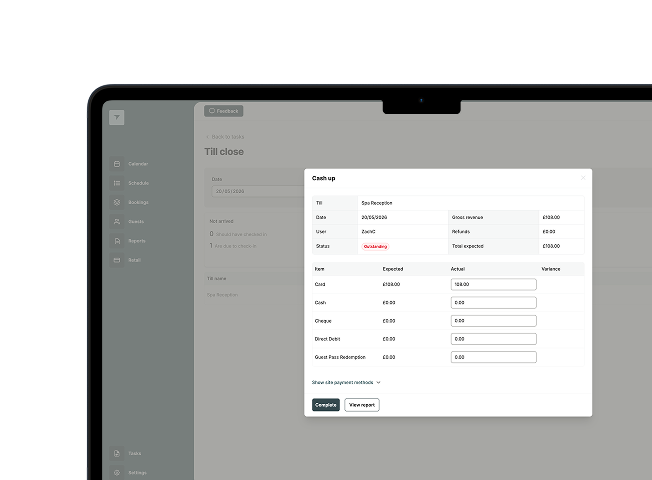
Modern till close and automated end-of-day processes help keep bookings, tills and financial records up to date with less manual effort.
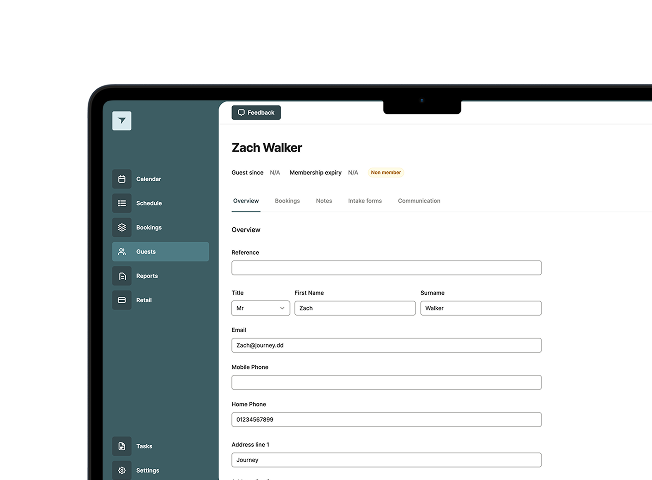
Access guest details, documents, booking history and payment information in one place to support a more connected service experience.
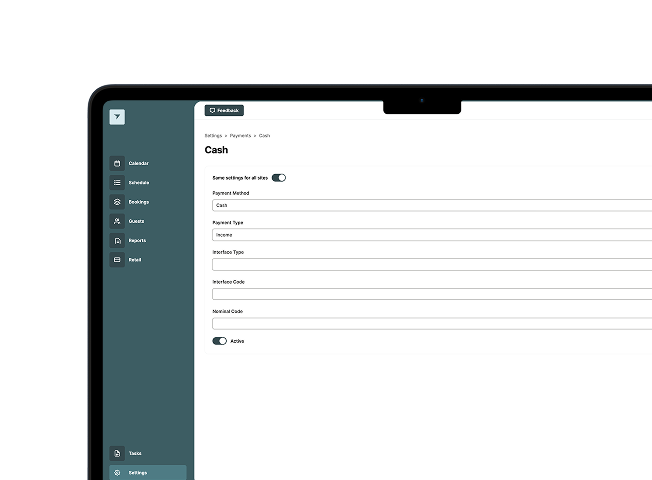
Manage payment methods, departments, pricing, discounts and analysis groups through a cleaner financial setup experience.
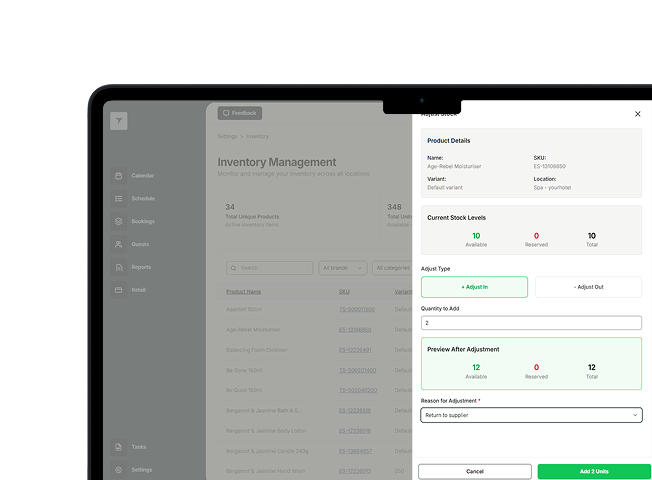
Manage products, suppliers, stock locations, inventory moves, stocktakes and purchase orders from within EMS.
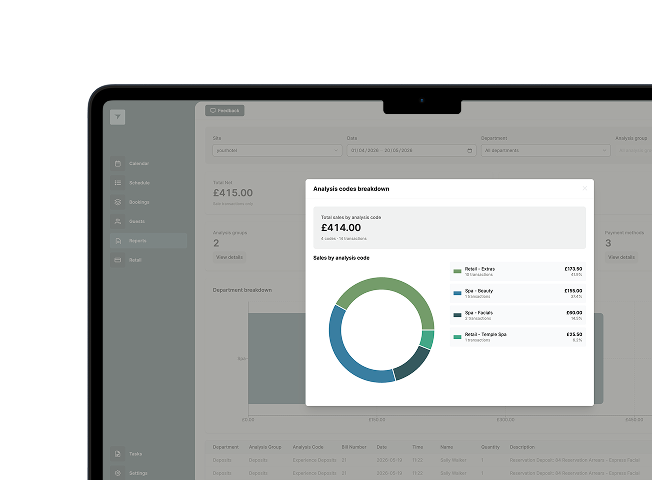
EMS includes reporting foundations across financials, till close, retail and performance, with further reporting capability planned across future releases.
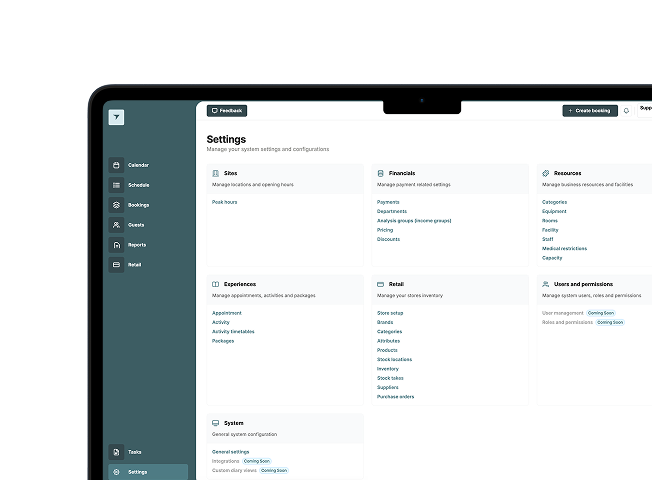
Configure resources, rooms, facilities, staff, rotas, medical restrictions, pricing and experiences in a more structured settings area.
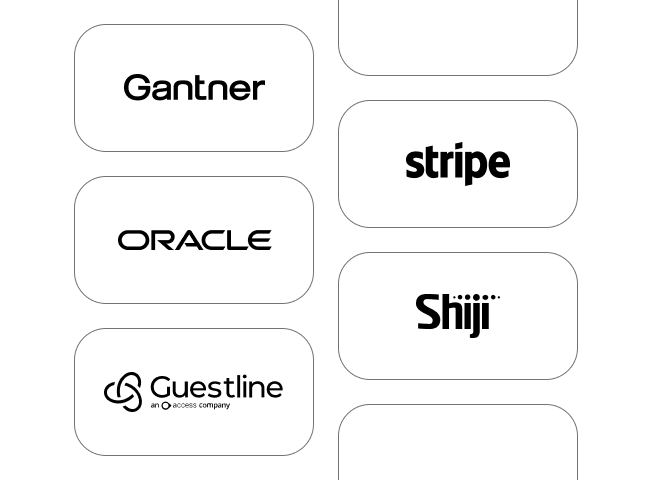
Core integrations are being maintained and expanded through phased rollout, with key PMS and partner integrations planned or under validation.
FAQ’S
We understand customers will have questions around migration timing, onboarding and feature availability. Here are answers to some of the most common questions currently being raised during the EMS rollout programme.
Read the FAQ’s
tIMELINE
Our migration programme is being delivered in structured phases to support operational readiness, minimise disruption and provide customers with clear guidance throughout the transition to EMS.
The timeline below outlines the typical migration journey, from initial communication and webinar onboarding through to migration planning, enablement and go-live support.
Customers will receive communication from Journey introducing the EMS migration programme, including access to migration resources, platform updates and webinar registration.
Attend a live EMS migration webinar to learn more about the platform vision, product direction, migration approach and current feature availability.
Your Account Manager will work with you to understand operational requirements, discuss migration options and identify the most suitable migration pathway.
Migration planning sessions will help define onboarding requirements, operational readiness, implementation considerations and indicative rollout timelines.
Customers will receive access to supporting resources including walkthrough videos, FAQs, migration guidance and onboarding materials to support internal preparation.
Once migration readiness is confirmed, Journey will align on rollout sequencing, implementation planning and next steps for your EMS onboarding journey.
WEBINAR
Register for an upcoming webinar to learn more about the migration programme, rollout process and onboarding journey. Sessions will include a product walkthrough and further programme details.
Book Webinar 2 (EMS Demo)
Book Webinar 3 (EMS + Memberships)
SUPPORT
For questions regarding rollout timing, onboarding, migration planning or feature readiness, please contact your Account Manager who will be working with you directly during this process.
If you have any more questions reach out to us via the link below.
Contact the team
An introduction from Journey’s CEO, Simon Bullingham
EMS is the next step in Journey’s platform evolution. Designed to create a more scalable, connected and operationally ready future for experience-led hospitality.
In this short introduction video, Journey’s CEO shares the vision behind EMS, why we’re taking a phased migration approach, and how we’re supporting customers through the transition with transparency, structure and long-term partnership.
Book Webinar 2 (EMS Demo)
Book Webinar 3 (EMS + Memberships)
Trusted by
VIDEO 1
Andrew Metcalfe on the vision behind EMS, Journey's continued investment, and why customers are moving onto the platform today.
VIDEO 2
Rob Deary gives a live walkthrough of the EMS platform, covering the diary, bookings, payments, contacts, activities and reporting.
VIDEO 3
Oliver Cahill on the migration programme, what to expect, and how your Account Manager will support you.
CAPABILITIES
EMS brings key operational workflows into a more modern, cloud-based product that is designed to make bookings, availability, payments, guest management and reporting easier to manage day-to-day.
Manage bookings, appointments, group activities and availability from a clearer diary view, with drag-and-drop changes and visibility across staff, rooms and facilities.
See which guests are arriving, what they have booked, where they need to be and how teams can manage check-in more efficiently.
Create bookings from any screen, helping teams respond faster when guests call, arrive on site or need changes made quickly.
Modern till close and automated end-of-day processes help keep bookings, tills and financial records up to date with less manual effort.
Access guest details, documents, booking history and payment information in one place to support a more connected service experience.
Manage payment methods, departments, pricing, discounts and analysis groups through a cleaner financial setup experience.
Manage products, suppliers, stock locations, inventory moves, stocktakes and purchase orders from within EMS.
EMS includes reporting foundations across financials, till close, retail and performance, with further reporting capability planned across future releases.
Configure resources, rooms, facilities, staff, rotas, medical restrictions, pricing and experiences in a more structured settings area.
Core integrations are being maintained and expanded through phased rollout, with key PMS and partner integrations planned or under validation.
FAQ’S
We understand customers will have questions around migration timing, onboarding and feature availability. Here are answers to some of the most common questions currently being raised during the EMS rollout programme.
Read the FAQ’s
tIMELINE
Our migration programme is being delivered in structured phases to support operational readiness, minimise disruption and provide customers with clear guidance throughout the transition to EMS.
The timeline below outlines the typical migration journey, from initial communication and webinar onboarding through to migration planning, enablement and go-live support.
Customers will receive communication from Journey introducing the EMS migration programme, including access to migration resources, platform updates and webinar registration.
Attend a live EMS migration webinar to learn more about the platform vision, product direction, migration approach and current feature availability.
Your Account Manager will work with you to understand operational requirements, discuss migration options and identify the most suitable migration pathway.
Migration planning sessions will help define onboarding requirements, operational readiness, implementation considerations and indicative rollout timelines.
Customers will receive access to supporting resources including walkthrough videos, FAQs, migration guidance and onboarding materials to support internal preparation.
Once migration readiness is confirmed, Journey will align on rollout sequencing, implementation planning and next steps for your EMS onboarding journey.
WEBINAR
Register for an upcoming webinar to learn more about the migration programme, rollout process and onboarding journey. Sessions will include a product walkthrough and further programme details.
Book Webinar 2 (EMS Demo)
Book Webinar 3 (EMS + Memberships)
SUPPORT
For questions regarding rollout timing, onboarding, migration planning or feature readiness, please contact your Account Manager who will be working with you directly during this process.
If you have any more questions reach out to us via the link below.
Contact the team
An introduction from Journey’s CEO, Simon Bullingham
EMS is the next step in Journey’s platform evolution. Designed to create a more scalable, connected and operationally ready future for experience-led hospitality.
In this short introduction video, Journey’s CEO shares the vision behind EMS, why we’re taking a phased migration approach, and how we’re supporting customers through the transition with transparency, structure and long-term partnership.
Book Webinar 2 (EMS Demo)
Book Webinar 3 (EMS + Memberships)
Trusted by
VIDEO 1
Andrew Metcalfe on the vision behind EMS, Journey's continued investment, and why customers are moving onto the platform today.
VIDEO 2
Rob Deary gives a live walkthrough of the EMS platform, covering the diary, bookings, payments, contacts, activities and reporting.
VIDEO 3
Oliver Cahill on the migration programme, what to expect, and how your Account Manager will support you.
CAPABILITIES
EMS brings key operational workflows into a more modern, cloud-based product that is designed to make bookings, availability, payments, guest management and reporting easier to manage day-to-day.
Manage bookings, appointments, group activities and availability from a clearer diary view, with drag-and-drop changes and visibility across staff, rooms and facilities.
See which guests are arriving, what they have booked, where they need to be and how teams can manage check-in more efficiently.
Create bookings from any screen, helping teams respond faster when guests call, arrive on site or need changes made quickly.
Modern till close and automated end-of-day processes help keep bookings, tills and financial records up to date with less manual effort.
Access guest details, documents, booking history and payment information in one place to support a more connected service experience.
Manage payment methods, departments, pricing, discounts and analysis groups through a cleaner financial setup experience.
Manage products, suppliers, stock locations, inventory moves, stocktakes and purchase orders from within EMS.
EMS includes reporting foundations across financials, till close, retail and performance, with further reporting capability planned across future releases.
Configure resources, rooms, facilities, staff, rotas, medical restrictions, pricing and experiences in a more structured settings area.
Core integrations are being maintained and expanded through phased rollout, with key PMS and partner integrations planned or under validation.
FAQ’S
We understand customers will have questions around migration timing, onboarding and feature availability. Here are answers to some of the most common questions currently being raised during the EMS rollout programme.
Read the FAQ’s
tIMELINE
Our migration programme is being delivered in structured phases to support operational readiness, minimise disruption and provide customers with clear guidance throughout the transition to EMS.
The timeline below outlines the typical migration journey, from initial communication and webinar onboarding through to migration planning, enablement and go-live support.
Customers will receive communication from Journey introducing the EMS migration programme, including access to migration resources, platform updates and webinar registration.
Attend a live EMS migration webinar to learn more about the platform vision, product direction, migration approach and current feature availability.
Your Account Manager will work with you to understand operational requirements, discuss migration options and identify the most suitable migration pathway.
Migration planning sessions will help define onboarding requirements, operational readiness, implementation considerations and indicative rollout timelines.
Customers will receive access to supporting resources including walkthrough videos, FAQs, migration guidance and onboarding materials to support internal preparation.
Once migration readiness is confirmed, Journey will align on rollout sequencing, implementation planning and next steps for your EMS onboarding journey.
WEBINAR
Register for an upcoming webinar to learn more about the migration programme, rollout process and onboarding journey. Sessions will include a product walkthrough and further programme details.
Book Webinar 2 (EMS Demo)
Book Webinar 3 (EMS + Memberships)
SUPPORT
For questions regarding rollout timing, onboarding, migration planning or feature readiness, please contact your Account Manager who will be working with you directly during this process.
If you have any more questions reach out to us via the link below.
Contact the team